
Online gaming has become a popular form of entertainment for people of different ages. However, not everyone has access to a fast and stable internet connection. Many players use mobile data, shared Wi-Fi networks, or older broadband connections that may experience slow speeds and frequent interruptions. This can make playing certain online games difficult, especially when they require constant communication with remote servers.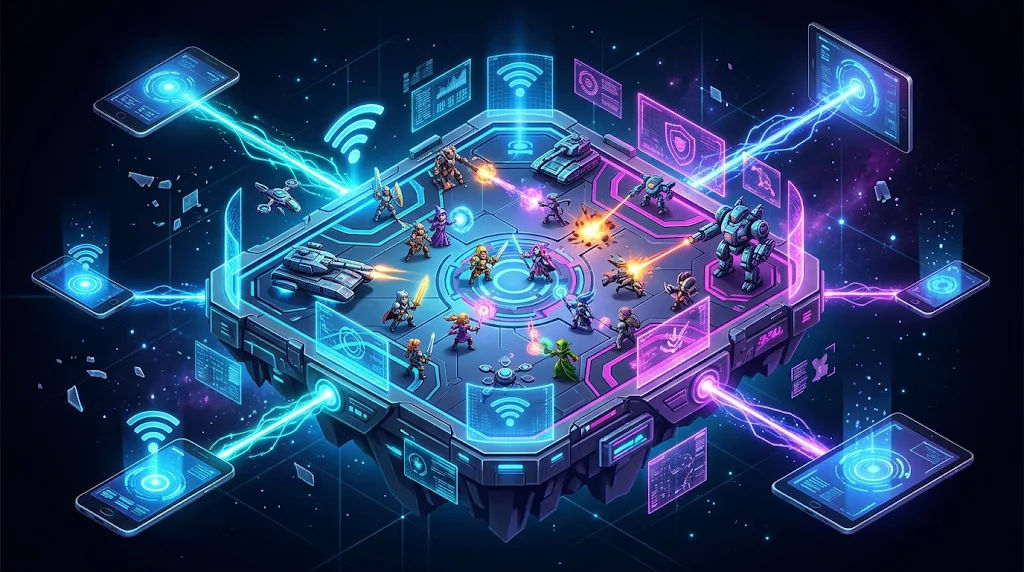
Fortunately, many online games are designed to work with limited internet speeds. These games usually require less data, have simpler graphics, or allow players to enjoy gameplay without continuous online communication. Platforms such as open88.bet are also part of the broader online gaming landscape, where users may encounter different types of browser-based gaming experiences. Understanding internet requirements is important when choosing any online gaming platform.
The good news is that slow internet does not necessarily mean giving up online gaming. By selecting suitable games, adjusting device settings, and understanding how internet connections affect performance, players can enjoy a smoother experience. This comprehensive guide explains which online games work on slow internet, what features to look for, and how to improve gameplay when connection speeds are limited.
Online Gaming on Slow Internet
Online games communicate with servers to exchange information about player actions, game progress, scores, and other activities. The amount of information exchanged depends on the type of game.
Some games require continuous communication between multiple players. Others only need occasional updates to synchronize progress. This difference determines how well a game performs on a slow internet connection.
For example, a competitive multiplayer shooter may struggle when internet speeds are inconsistent. A turn-based puzzle game, on the other hand, may continue working comfortably because it does not require constant communication.
Understanding these differences helps players OPEN 88 games that match their available internet connection.
What Makes an Online Game Internet-Friendly?
Several characteristics make certain games suitable for slower connections.
-
Low data consumption: Games that exchange small amounts of information generally use less mobile data.
-
Limited real-time communication: Games that do not constantly update player positions can tolerate slower connections.
-
Simple graphics: Basic visual effects can reduce device performance demands, although graphics alone do not determine internet usage.
-
Short online sessions: Games with brief interactions may be more convenient when connections are unreliable.
-
Offline functionality: Some games allow players to continue playing without an active connection.
These features can make gaming more accessible for people using limited internet services.
Types of Online Games That Work on Slow Internet
Not all online games have the same network requirements. Some categories are naturally better suited to slower connections.
Turn-Based Strategy Games
Turn-based strategy games are among the most suitable options for players with limited internet speeds.
Unlike real-time games, these titles allow players to make decisions one at a time. The game usually sends information when a player completes a move rather than continuously transmitting updates.
This approach reduces the need for constant communication.
Popular examples include digital chess, checkers, and turn-based board games. Players can often complete moves without needing extremely fast internet speeds.
These games are also suitable for people who prefer thoughtful gameplay instead of fast reactions.
Online Chess and Board Games
Online chess is an excellent example of a game that can work with relatively slow internet.
The game generally exchanges information about moves, timers, and player status. It does not require the same continuous data exchange as a fast multiplayer action game.
Other suitable choices include:
-
Online checkers.
-
Digital backgammon.
-
Simple card games.
-
Classic board game applications.
-
Turn-based word games.
These options are particularly useful when playing through mobile data or a shared internet connection.
Browser-Based Puzzle Games
Browser-based puzzle games can also be suitable for slower connections.
Many simple puzzles rely on basic animations, small visual elements, and straightforward interactions. Once the game has loaded, some require very little additional communication with the internet.
Examples include number puzzles, matching games, word searches, and logic challenges.
However, loading the initial webpage may still require a reasonable connection. Games with large advertisements, complicated animations, or frequent online updates may consume more data than expected.
Casual Card Games
Casual card games are another practical choice.
Many digital card games use relatively small amounts of network information because their main activities involve selecting cards, making turns, and updating scores.
Examples include digital solitaire, multiplayer card matching, and turn-based card challenges.
Some card games support offline modes, while others require an active internet connection to connect players.
Before choosing a game, it is helpful to check whether it can continue working during temporary connection interruptions.
Simple Multiplayer Games
Certain lightweight multiplayer games can work reasonably well on slower internet connections.
These games generally have fewer simultaneous interactions and less demanding network requirements than competitive action titles.
Simple multiplayer experiences may include casual word competitions, turn-based challenges, and basic social games.
Nevertheless, performance depends on server quality, the number of connected players, and network stability.
Online Games That May Struggle With Slow Internet
While many games can work on slower connections, some categories are more demanding.
Understanding these differences helps players avoid unnecessary frustration.
First-Person Shooter Games
First-person shooter games often require fast communication between players and servers.
The game must regularly update player positions, movements, actions, and other events.
When the connection is slow or unstable, players may experience delayed responses, inconsistent movement, and connection problems.
These games generally benefit from low latency and stable internet rather than simply having a high download speed.
Real-Time Racing Games
Online racing games can also require reliable connections.
Players need their actions and positions to synchronize with other participants. Even small delays can affect the experience.
Games featuring detailed environments, multiplayer competitions, and frequent visual updates may also require powerful devices.
A simpler racing game with limited multiplayer interaction may perform better than a large competitive racing title.
Battle Royale Games
Battle royale games often connect many players within the same environment.
They continuously exchange information about movement, positioning, actions, and changing game conditions.
This creates greater networking demands than many casual games.
Slow internet can cause delayed updates, interrupted sessions, and difficulty maintaining a stable connection.
Players with limited connectivity may prefer less demanding alternatives.
How Internet Speed Affects Online Gaming
Internet speed is important, but it is not the only factor affecting gameplay.
Three major elements determine how smoothly an online game operates: bandwidth, latency, and connection stability.
Download and Upload Speed
Download speed determines how quickly information travels from the internet to a device.
Upload speed determines how quickly information travels from the device to an online server.
Many simple games can operate with relatively low bandwidth because they exchange small amounts of information.
However, games involving voice communication, frequent multiplayer updates, or large downloads may need additional bandwidth.
It is also important to understand that downloading a game and playing it online are two different activities. A game may require a large initial download but use very little data during ordinary gameplay.
Understanding Ping and Latency
Latency refers to the time required for information to travel between a device and a server.
It is commonly measured in milliseconds and is often displayed as ping.
Lower latency generally means faster communication.
For example, a turn-based puzzle game may remain enjoyable with moderate latency because players do not need immediate responses.
A competitive multiplayer game may become frustrating when latency increases because player actions take longer to register.
Connection Stability
A stable connection is often more important than extremely high internet speed.
A connection that regularly disconnects can interrupt gameplay even when its advertised download speed is impressive.
Frequent fluctuations may also create inconsistent performance.
For this reason, players should consider reliability when selecting an internet provider or deciding between mobile data and Wi-Fi.
Browser Games for People With Limited Internet
Browser games are convenient because many can be played directly through a web browser without installing a separate application.
They are particularly useful for people who want simple entertainment without downloading large files.
Advantages of Browser-Based Games
Browser games offer several practical benefits:
-
They can be accessed through compatible web browsers.
-
Many lightweight titles require limited device storage.
-
Some games have simple interfaces and straightforward controls.
-
Players can access different categories without installing several applications.
-
Certain titles support offline functionality after initial loading.
However, not every browser game is lightweight.
Some websites use large advertisements, external scripts, and complex animations that increase loading times and data consumption.
Choosing a reputable website with simple games can help improve the experience.
What to Check Before Playing
Before opening a browser game, consider its basic requirements.
Check whether the game supports your browser and operating system. Review its internet requirements and determine whether it needs a continuous connection.
It is also sensible to avoid websites that display suspicious advertisements or request unnecessary personal information.
A reliable gaming experience should include clear privacy information, reasonable permissions, and transparent terms of use.
Tips for Improving Online Gaming on Slow Internet
Even when internet speeds are limited, a few practical adjustments can improve performance.
Close Unnecessary Applications
Background applications may consume internet bandwidth without being immediately noticeable.
Video streaming services, automatic updates, cloud backups, and large downloads can compete with gaming traffic.
Closing unnecessary applications may help make more bandwidth available.
For example, pausing a large download while playing an online game can reduce interruptions.
Choose a Stable Wi-Fi Connection
If Wi-Fi is available, try to use a location with a strong signal.
Walls, furniture, and other obstacles can weaken wireless connections.
Keeping the device reasonably close to the router may improve signal quality.
Players should also avoid placing the router near devices that may cause wireless interference.
Reduce Background Data Usage
Smartphones often use internet data for automatic synchronization, application updates, and notifications.
These activities may affect performance when the available connection is limited.
Reviewing background data settings can help identify applications that use unnecessary bandwidth.
It is also useful to schedule large updates for times when gaming is not taking place.
Keep the Browser Updated
An updated browser can improve compatibility, stability, and security.
Older browser versions may struggle with modern web technologies or contain performance problems.
Players should use supported browser versions and remove unnecessary extensions that may interfere with websites.
Clearing temporary browser data can also help when a particular game repeatedly fails to load.
Avoid Unnecessary Downloads
Large game downloads can quickly consume limited data allowances.
Before downloading an application, check its size and system requirements.
If the game offers a browser version or a smaller installation package from its official source, compare those options.
Avoid unofficial download websites because they may distribute unsafe files.
Can Mobile Data Support Online Gaming?
Yes, mobile data can support many online games, particularly those that use limited bandwidth.
However, the experience depends on network coverage, signal quality, data limits, and network congestion.
A basic mobile connection may be sufficient for turn-based games and simple browser puzzles.
More demanding multiplayer titles may require stronger and more consistent connectivity.
Choosing Between 3G, 4G, and 5G
Different mobile network generations provide different performance capabilities.
3G connections may support basic online activities, although availability and performance vary.
4G generally offers better speeds and can support a wider range of online games.
5G can provide higher speeds and lower latency where coverage is available.
However, a newer network generation does not automatically guarantee better gameplay. Signal strength and network congestion remain important.
Managing Mobile Data Consumption
Players using limited data packages should pay attention to how much information their games consume.
Some applications use additional data for advertisements, updates, and downloadable content.
A few helpful practices include:
-
Use Wi-Fi for large updates.
-
Disable automatic downloads when appropriate.
-
Monitor mobile data consumption.
-
Avoid streaming videos while gaming.
-
Check whether the game downloads additional content during play.
These steps can help prevent unexpected data usage.
How to Choose the Right Online Game
Choosing a suitable game requires more than checking its popularity.
Players should consider their internet connection, device capabilities, personal interests, and available data allowance.
Check the Game's Technical Requirements
Before starting, review the game's minimum requirements.
Look for information about supported operating systems, browser compatibility, connection requirements, and storage.
Some games provide information about offline modes or low-bandwidth settings.
These details can help players understand whether a particular title is suitable.
Consider Gameplay Style
The type of gameplay has a major influence on internet requirements.
Players who enjoy thinking and planning may prefer turn-based strategy games.
People who enjoy relaxing activities might choose simple puzzles or casual card games.
Those interested in competition can explore lightweight multiplayer titles, provided their connections are sufficiently stable.
Consider Device Performance
Internet speed is only one part of the experience.
An older smartphone may struggle with complicated graphics, even when the internet connection is reasonably good.
Choosing lightweight games with modest system requirements can help reduce unnecessary performance problems.
It is also helpful to keep the operating system updated when the device supports the latest available version.
Safety and Responsible Online Gaming
A smooth gaming experience should also be a safe one.
Players should choose established platforms and understand their privacy practices before creating accounts or sharing information.
Avoid websites that request unnecessary personal details, display misleading offers, or make unrealistic promises.
Parents and guardians can also help younger players choose age-appropriate games and establish reasonable screen-time boundaries.
Protect Personal Information
Never share passwords, verification codes, or private account details with strangers.
Use strong passwords and enable additional account protection when available.
Be careful when clicking advertisements or downloading files from unfamiliar websites.
These precautions reduce the risk of account problems and unwanted software.
Understand Gaming Costs
Some online games are free to play but include optional purchases, subscriptions, or advertising.
Read payment terms carefully before purchasing anything.
If a platform includes paid gaming features, understand its rules and financial risks. Age restrictions and local regulations should always be respected.
Online gaming should remain a form of entertainment rather than a way to earn guaranteed money.
Common Problems When Playing Games on Slow Internet
Even lightweight games can occasionally experience problems.
Knowing the possible causes can make troubleshooting easier.
Games Take Too Long to Load
Slow loading may occur because of weak internet signals, overloaded servers, or large website files.
Refreshing the page once, checking the connection, and closing unnecessary browser tabs may help.
If the problem continues, the website itself may be experiencing technical difficulties.
Gameplay Becomes Unresponsive
An unresponsive game may result from browser problems, insufficient device resources, or unstable connectivity.
Closing unnecessary applications and checking for browser updates are reasonable first steps.
Players should also consider whether their device meets the game's technical requirements.
Frequent Disconnections
Frequent disconnections may indicate weak Wi-Fi coverage, mobile network congestion, or temporary server problems.
Testing another website can help determine whether the issue affects the entire internet connection or only one gaming platform.
If other services also stop working, the problem may be related to the network provider.
Future of Online Gaming for Slow Internet Users
Online gaming technology continues to develop, creating more opportunities for people with limited connectivity.
Developers are increasingly interested in improving accessibility, reducing unnecessary downloads, and optimizing applications for different devices.
Lightweight browser games are likely to remain useful because they offer convenient access without requiring powerful hardware.
Cloud gaming is another developing area, although it generally requires a fast and stable connection because game visuals are streamed continuously to the player's device.
For this reason, cloud gaming is not usually the best solution for people with very slow internet.
Future improvements in mobile networks and game optimization may make online entertainment more accessible to a wider audience.
Conclusion
Finding online games that work on slow internet is easier when players understand the different networking requirements of various gaming categories. Although some competitive games need fast and stable connections, many other options can provide enjoyable experiences without demanding significant bandwidth.
Turn-based strategy games, online chess, casual card games, simple browser puzzles, and lightweight multiplayer experiences are among the most practical choices. These games generally require less continuous communication than competitive shooters, battle royale titles, and complex racing games.
Players should also understand the importance of latency, download speed, upload speed, and connection stability. A reliable connection can often provide a better experience than a faster connection that frequently disconnects. Similarly, choosing games that match the capabilities of a smartphone or computer can reduce unnecessary technical problems.
Simple improvements can make a noticeable difference. Closing background applications, using a stable Wi-Fi signal, reducing unnecessary downloads, and keeping browsers updated are useful ways to improve performance. People using mobile data should also monitor their consumption and avoid applications that download large amounts of additional content without warning.
Security and responsible gaming habits are equally important. Players should choose trustworthy websites, protect their personal information, understand payment conditions, and follow applicable age restrictions.
Ultimately, slow internet does not prevent people from enjoying online entertainment. The most effective approach is to choose games that match available network resources instead of expecting every title to perform equally well. With sensible choices and a little preparation, players can enjoy convenient, accessible, and more reliable gaming experiences even when their internet connection is limited.